
Samsung FRP tools are everywhere right now and the problem isn’t finding one, it’s knowing which one will actually work on your specific device. If you’ve already tried a tool that failed or you’re staring at a list of ten options with no idea where to start, this guide is for you. We’ve tested and compared every major free Samsung FRP tool available in 2026 and put together an honest breakdown of what works, what doesn’t, and which tool makes sense for your exact situation.
No paid tool recommendations, no affiliate pressure. Just a straight comparison from a repair technician’s perspective.
All download links are at the bottom of this page.
Disclaimer
The tools and methods shared on this page are provided for educational purposes only. Please make sure you’re using them on a device that you own or have permission to work on.
Bypassing FRP or removing a Google account from a device that isn’t yours can be illegal and may lead to serious consequences. Always follow Google’s policies and your device manufacturer’s guidelines when performing any kind of modification.
Rise ROM does not encourage or support any misuse of these tools. Use them responsibly.
How to Pick the Right Tool Before You Download Anything
This is the section most guides skip entirely and it’s the reason so many people waste an hour trying tools that were never going to work on their device. Before you download anything, you need to know two things about the Samsung device you’re working on.
Your Android version
Check Settings, then About Phone, then Software Information. The Android version is listed there. If you can’t access settings because the device is already locked, try to remember or check the box the phone came in. The Android version determines which tools are even worth trying. A tool built for Android 10 devices won’t do anything useful on Android 14.
Your security patch date
This is just as important as the Android version and most people don’t know it matters. Go to Settings, then About Phone, then Software Information and look for Android Security Patch Level. The date shown there determines whether free tools will work at all on your device.
Here’s the honest reality of the situation in 2026. Free Samsung FRP tools work reliably on devices with security patches dated before late 2022. On patches from 2023 and 2024 success rates drop noticeably depending on the tool and device model. On 2025 and 2026 patches free tools are hit or miss, with ZeroKnox 2.4 and HalabTech being the two most consistent options right now for newer patches.
If your device has a patch from January 2026 or later and none of the free tools work, that’s not a sign you’re doing something wrong. It means the vulnerability those tools rely on has been patched and you need either a newer tool update or a different approach. We cover that honestly in the later sections.
Quick decision guide:
Security patch before December 2022: Start with SamFw FRP Tool. Very high success rate, simple process.
Security patch from 2023 to mid 2024: Try ZeroKnox Removal Tool or Prime Tool X first.
Security patch from late 2024 to 2025: HalabTech FRP Tool or ZeroKnox 2.4 are your best free options.
Security patch from 2026: ZeroKnox 2.4 is worth trying but success is not guaranteed. AMT Tool with credits may be more reliable.
Top 5 Free Samsung FRP Tools Compared
Here’s the honest comparison table based on real world results across repair shop use cases:
| Tool | PC Required | Credits | Android Version | Best For | Success Rate (2026) |
|---|---|---|---|---|---|
| SamFw FRP Tool | Yes | Free up to Dec 2022 | Android 8 to 16 | Budget Samsung, older patches | Very High on older patches |
| ZeroKnox Removal Tool | Yes | No | Android 8 to 16 | FRP and Knox Guard removal | High on mid range models |
| Prime Tool X | Yes | No | Android 12 to 16 | Budget A and M series | Good on supported models |
| HalabTech FRP Tool | Yes | No | Android 15 and 16 | Newest Samsung patches | Good via MTP mode |
| AMT Tool | Yes | Yes | Android 8 to 16 | Wide range, newer patches | Very High with credits |
A few things worth noting about this table. Success rate depends heavily on your exact Samsung model and firmware variant, not just the Android version. A Galaxy A14 and a Galaxy A54 both run Android 14 but they respond differently to bypass attempts because of differences in their firmware build. The table gives you a general starting point, not a guarantee.
The credit column matters too. SamFw, ZeroKnox, Prime Tool X and HalabTech are all completely free for the operations covered in their guides. AMT Tool requires purchased credits for most operations. If you’re a repair shop doing high volume work the AMT credits are worth it. If you just need to fix one device the free tools are the right starting point.
Tool 1: SamFw FRP Tool
SamFw FRP Tool is the most widely used free Samsung FRP tool in the repair community and has been for years. It’s lightweight, easy to use and works extremely well on Samsung devices with security patches before December 2022. If your device falls in that window this is the first tool you should try.
Beyond FRP removal SamFw also handles soft brick recovery, Download Mode exit, CSC changes, Samsung account removal via ADB, and basic Odin flashing. It’s more capable than most people realize because they only ever use it for FRP.
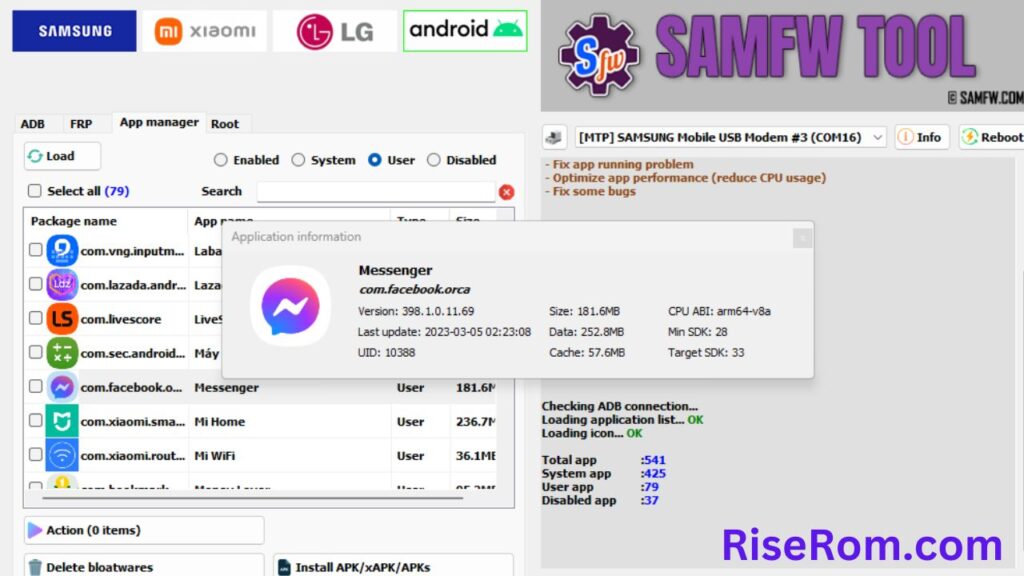
The free version limitation is real and worth repeating clearly. Devices with patches from December 2022 onwards require SamFw’s paid server credits for FRP removal. The tool will detect your device and tell you the patch date so you’ll know immediately whether the free method applies before you spend time following steps.
Latest version as of 2026 is V5.4.
Best for: Budget Samsung A series, M series, J series with older security patches. Repair shops doing high volume Samsung FRP work who are comfortable paying for credits on newer devices.
Not ideal for: Devices with 2023 and newer patches if you need a free solution.
For the complete guide including step by step instructions, supported devices table, and download links read our full SamFw FRP Tool guide.
Tool 2: ZeroKnox Removal Tool
ZeroKnox Removal Tool is arguably the most capable completely free Samsung tool available right now. Version 2.4, released in late December 2025, added Android 16 FRP support which puts it ahead of most competing free tools in terms of how current it is.
What sets ZeroKnox apart from SamFw and Prime Tool X specifically is that it handles Knox Guard lock removal in addition to FRP. If the device you’re working on has a KG lock from a finance company or carrier on top of the FRP lock, ZeroKnox is one of the only free tools that can address both in the same session.
It offers three Enable ADB methods for FRP removal and four KG removal methods, which means you have multiple approaches to try if the first one doesn’t work on your specific device. This flexibility makes it genuinely more useful than tools with a single method, especially for repair shops seeing a wide variety of Samsung models.
The honest limitation is that there is no official distribution website for ZeroKnox. The developer distributes it through community channels and mirror sites which means you need to be careful about where you download it from. The link on our ZeroKnox guide page is a verified clean build.
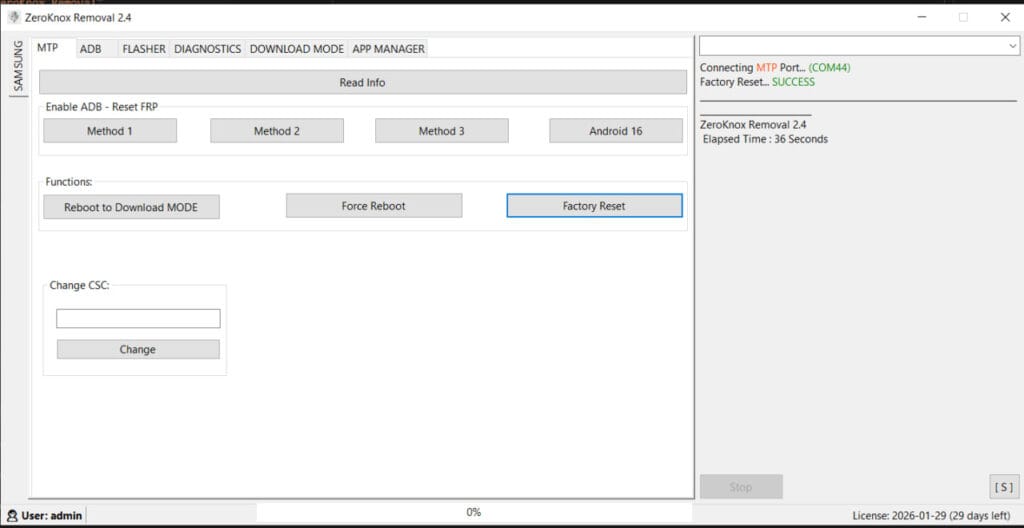
Latest version as of 2026 is ZeroKnox Removal 2.4.
Best for: Samsung devices running Android 13 through 16, devices with both FRP and Knox Guard locks, technicians who need multiple bypass methods for a wide range of Samsung models.
Not ideal for: Non-Samsung devices, flagship Samsung models with very recent 2026 security patches where even version 2.4 may not succeed.
For the complete guide including Knox Guard removal steps, all three ADB methods explained, and download links read our full ZeroKnox Removal Tool guide.
Tool 3: Prime Tool X
Prime Tool X from GSM Prime is the lightest and most straightforward tool on this list. It’s completely free, requires no credits, no account registration and no complex setup. You install the drivers from inside the tool itself, select your Samsung model from the sidebar, and run the bypass. That’s genuinely how simple it is.
Version 9.0 released in February 2026 added Android 16 FRP support and removed the need for the Zadig driver workaround on Qualcomm Samsung devices, which was a constant pain point in older versions. The interface is clean and beginner friendly in a way that SamFw and ZeroKnox aren’t quite as polished at.
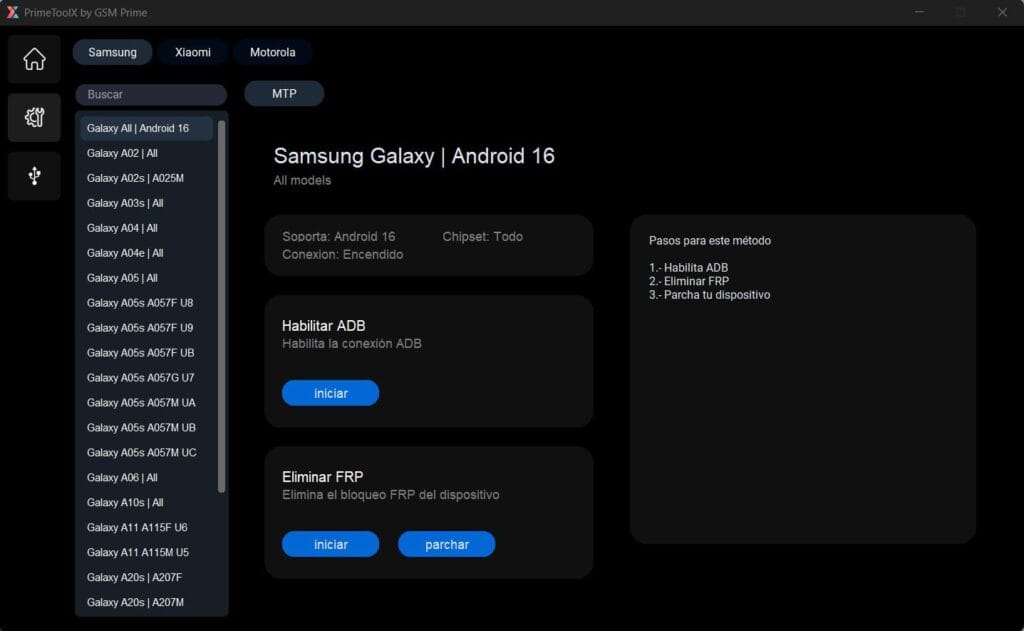
The limitation is device coverage. Prime Tool X works well on budget and mid range Samsung models from the A, M and J series but high end flagships and very recent models aren’t always in the supported list. It also only supports Xiaomi on the Redmi A3 specifically.
The three step process of Enable ADB, Remove FRP and Patch Device is well thought out and more reliable than tools that try to do everything in one click, because each step can be verified before moving to the next.
Latest version as of 2026 is V9.0.
Best for: Beginners and repair shops who want the simplest possible workflow, budget Samsung A and M series devices, anyone who wants a completely offline free tool with no server dependency.
Not ideal for: High end Samsung flagships, devices with Knox Guard locks (Prime Tool X handles FRP only), Xiaomi devices other than Redmi A3.
For the complete guide including the full supported models list, all three bypass steps explained, and download links read our full Prime Tool X guide.
Writing sections 7 through 13 now:
Tool 4: HalabTech FRP Tool
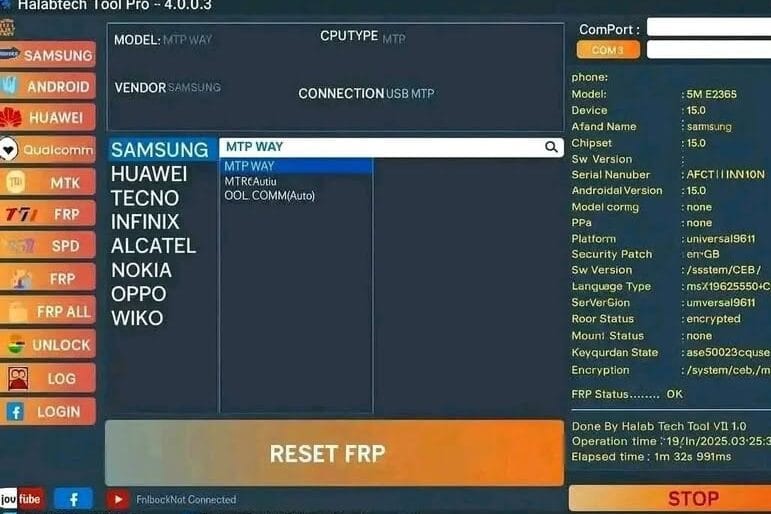
HalabTech FRP Tool is the most focused tool on this list and that focus is exactly what makes it valuable. While SamFw, ZeroKnox and Prime Tool X all try to cover a range of operations, HalabTech’s dedicated Samsung Android 16 FRP tool does one thing specifically: remove FRP on Samsung devices running Android 15 and 16 via MTP mode. It does that one thing very well.
The MTP mode approach is what makes it stand out. Most other tools require you to put the device into Download mode or EDL mode which involves button combinations and sometimes driver issues. HalabTech works through MTP which means you just connect the phone normally via USB the same way you’d connect it to transfer files. No special boot mode, no button combos, no Zadig. That simplicity makes it genuinely useful for technicians dealing with newer Samsung devices where the standard approaches are failing.
The tool is extremely lightweight, around 5 to 10MB, compared to most Samsung tools that run 50MB or more. It installs fast, runs fast and doesn’t have the setup overhead that heavier tools carry.
There is one critical limitation that most guides don’t mention upfront. The Android 16 bypass in HalabTech only works reliably on devices with firmware dated December 2025 or earlier. Samsung patched the specific vulnerability this tool uses in their January 2026 firmware update. If your device received an update in January 2026 or later the HalabTech tool may not complete the bypass successfully. Always check the firmware build date in Settings, then About Phone, then Software Information before spending time on the process.
HalabTech is also part of a broader tool suite. The full HalabTech Tool V1.1 covers Samsung, Xiaomi, Oppo, Realme, Vivo, Huawei, Tecno and Infinix across MTK and Qualcomm chipsets with over 185,000 downloads. The dedicated Samsung Android 16 FRP tool is a standalone lightweight version of that broader suite focused specifically on the newest Samsung FRP problem.
Latest version of the dedicated tool as of 2026 is the Android 16 MTP Mode release from March 2026.
Best for: Samsung devices running Android 15 and 16 with firmware dated before January 2026, technicians who want the simplest possible no-boot-mode approach, repair shops dealing specifically with newer Samsung FRP locks.
Not ideal for: Devices with January 2026 or newer firmware, Knox Guard locks (HalabTech handles FRP only), older Android versions where other tools are more capable.
For the complete guide including step by step instructions and download links read our full HalabTech FRP Tool guide.
Tool 5: AMT Tool (Android Multi Tools)
AMT Tool is the most powerful option on this list and the only one that requires credits for most operations. That distinction is worth understanding clearly before you decide whether it’s right for your situation.
The reason AMT Tool consistently delivers the highest success rate across different Samsung models and security patches is that it uses server side authentication to push bypass operations. This means the tool can be updated on the server end to handle new Samsung security patches without requiring you to update the software itself. When a new Samsung security patch drops and free tools fail, AMT Tool’s server gets updated and the bypass starts working again within days. That’s the practical advantage of the credit based model that nobody explains clearly.
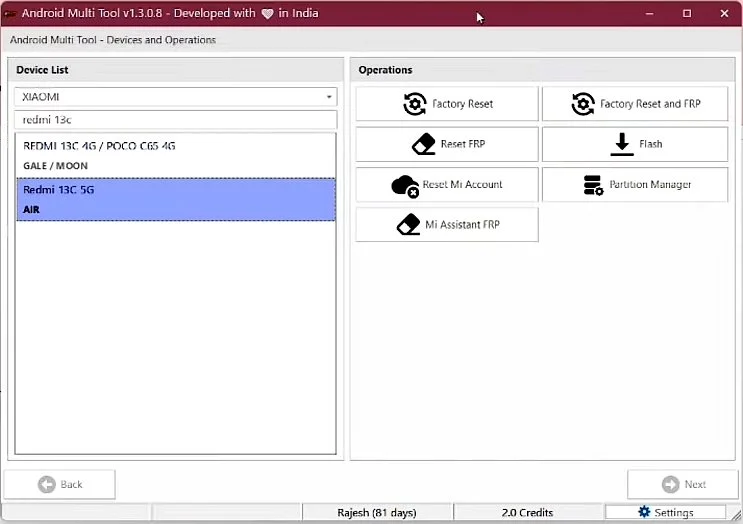
For repair shops doing daily Samsung work the credit cost makes sense. A yearly license runs around $40 to $45 which works out to a small fraction of the revenue from the repairs it enables. For someone fixing one personal device it’s harder to justify compared to the free options.
Beyond Samsung, AMT Tool covers Xiaomi, Oppo, Realme, Vivo, Motorola, Tecno, Infinix and Nothing Phone across MediaTek, Qualcomm, Unisoc and SPD chipsets. In terms of raw device coverage it’s the most comprehensive tool in this comparison by a significant margin.
The latest version as of 2026 is V1.3.5.2 released March 13, 2026 which added Nothing Phone series support, Realme MediaTek AUTH support, and improved handling for Samsung S22 Ultra and S23 Ultra among other updates.
Best for: Repair shops handling high volume Samsung work with newer security patches, technicians who need a single tool that covers Samsung alongside other brands like Xiaomi and Motorola, anyone for whom the free tools have consistently failed on a newer device.
Not ideal for: Users who need a completely free solution, one-off personal repairs where paying for credits isn’t practical.
For the complete guide including features breakdown, all supported brands, and installation instructions read our full AMT Tool guide.
When Free Tools Won’t Work
This is the section most guides skip entirely because they’d rather push a paid tool than be honest with you. So here it is straight.
If your Samsung device has a security patch from mid 2025 onwards and all five free tools have failed, you’re not doing anything wrong. The vulnerability that most free bypass tools rely on has been patched in those firmware versions. Google and Samsung work continuously to close the exploits these tools use and they’ve been increasingly successful at it with every major Android update since Android 13.
In that situation you have three realistic options.
The first option is waiting. Tool developers like the ZeroKnox team and the HalabTech team release updates regularly when new bypass methods are discovered. A tool that fails today on your specific patch might work in a month when an updated version drops. Check back on the tools you tried and look for version updates.
The second option is a firmware downgrade. If your device received a recent update that patched the bypass, flashing an older firmware version via Odin can take the device back to a patch level where free tools work again. This is more involved and requires the right firmware file for your exact model. Check our firmware page for Samsung firmware files. Once you’ve completed the bypass you can update the firmware again afterward.
The third option is AMT Tool with credits which as covered above uses server side updates to stay current with new patches faster than free tools can. For a single device it’s worth weighing the credit cost against the time you’re spending trying free options.
One thing worth saying clearly: if none of the above options are viable and the device is a secondhand purchase where you don’t know the original Google account, the most reliable long term solution is contacting Samsung support with proof of purchase. They can remove the FRP through official channels without any of this.
Common Errors Across All Samsung FRP Tools
Device not detected regardless of which tool you use
This almost always comes down to three things. The cable you’re using is charging only and not a data cable. The Samsung USB drivers aren’t properly installed. The tool isn’t running as administrator. Work through those three before anything else. They cover the overwhelming majority of detection failures across all five tools.
Tool detects the device but the bypass function is greyed out or fails immediately
This is the security patch date issue. The tool you’re using doesn’t support your device’s current patch level. Go back to the decision framework in the second section of this guide and pick a tool better suited to your patch date, or consider the firmware downgrade approach mentioned above.
Bypass completes successfully but FRP screen still appears after restart
Don’t let the device auto restart from the tool. Disconnect it manually, hold the power button until it fully shuts down, wait 10 seconds and power it on again. A forced cold restart rather than a tool triggered restart clears the issue in most cases. If it still appears after a clean boot run the bypass operation a second time.
ADB connection drops during the process
A loose or low quality USB cable is almost always the cause. Try a different cable and a different USB port on your PC. USB 2.0 ports are more reliable than 3.0 for Samsung repair tools. Also make sure your PC isn’t going to sleep during the process since sleep mode kills ADB connections mid-operation.
Tool works on one Samsung model but fails on another
This is normal. Samsung’s A series, M series, S series and F series all have different firmware structures even when running the same Android version. A method that works cleanly on an A14 may fail on an A54 running the same Android version because the underlying firmware is built differently. If one tool fails on your specific model try a different one from the comparison table.
Antivirus deleting tool files during or after extraction
Add the folder you’re extracting to before you extract, not after. Some antivirus programs scan files as they’re being written to disk during extraction and delete flagged files before you can run them. Setting the exclusion before extracting solves this completely.
FAQ
Which Samsung FRP tool works on Android 16?
ZeroKnox Removal Tool 2.4 and HalabTech FRP Tool both added Android 16 support in late 2025 and early 2026. SamFw V5.4 also lists Android 16 in its supported range but success depends on the security patch date. For devices with patches from January 2026 onwards none of the free tools offer a guaranteed solution yet.
Do I need to pay for any of these tools?
SamFw, ZeroKnox, Prime Tool X and HalabTech are all completely free with no credits required. AMT Tool requires purchased credits for most operations. If the free tools fail on your device AMT Tool’s credits are the most reliable paid upgrade path without jumping to expensive consumer software.
Can I use these tools on Samsung Galaxy S series flagships?
The A and M series have the best coverage across all five free tools. S series flagship support exists but is less consistent, particularly on S22 and newer models with recent security patches. AMT Tool has the highest flagship success rate among the options listed here.
Will bypassing FRP delete everything on the phone?
If the device has already been factory reset there’s no user data left to delete anyway. The FRP bypass itself doesn’t perform another wipe. You’re just removing the Google account verification step that’s blocking setup after the reset that already happened.
Is it safe to use multiple tools on the same device?
Yes. If one tool fails and you move on to another one there’s no cumulative risk from having tried the first one. The tools communicate with the device through ADB or MTP mode and running one doesn’t affect how the next one interacts with the device.
My device has both FRP and Knox Guard lock. Which tool handles both?
ZeroKnox Removal Tool is the only free option on this list that handles both. It has dedicated KG removal methods separate from the FRP removal process. Complete the Knox Guard removal first before addressing the FRP lock since KG lock takes priority over FRP in Samsung’s security hierarchy.
Does any of these tools work without a PC?
All five tools on this list require a Windows PC. If you need a method that works directly on the device without a computer, APK based bypass methods are the alternative. Check our FRP Bypass APK guide for no-PC methods that work on Samsung devices.
Related Tools and Downloads
All the tools covered in this guide have their own dedicated pages on Rise ROM with complete step by step guides, full supported device lists and verified direct download links.
SamFw FRP Tool — Full guide covering free vs paid, supported Samsung models, step by step instructions and V5.4 download. or visit their website https://samfw.com/
ZeroKnox Removal Tool — Complete guide covering FRP bypass, Knox Guard removal, all three ADB methods and verified 2.4 download.
Prime Tool X — Full guide covering the three step bypass process, supported models sidebar, and V9.0 download.
HalabTech FRP Tool — Complete guide covering MTP mode bypass, the December 2025 firmware cutoff explained, and direct download.
AMT Tool — Full guide covering all supported brands, credit system explained, installation and V1.3.5.2 download.
If you need drivers for any of these tools visit our drivers page. For firmware files to restore a device before or after bypass check our firmware page.
[…] Samsung FRP Tools is our complete comparison of every major Samsung FRP tool in 2026 including free and paid options for both Exynos and Qualcomm devices. […]
[…] Samsung FRP Tools is our complete comparison of every major Samsung FRP tool in 2026 for when you need Samsung-specific options beyond what UST Tool covers. […]
[…] Samsung FRP Tools is our complete comparison of every major Samsung FRP tool in 2026. […]